
How to Change APN
There are three methods to configure the APN settings for your POC radio, including software programming, automatic APN detection, and remote cloud configuration. Please choose the appropriate method according to your device model:
1.Change APN via Programming Software
Put the radio into programming mode
Connect the radio to the computer using a programming cable
Open the programming software.
Select the corresponding port.
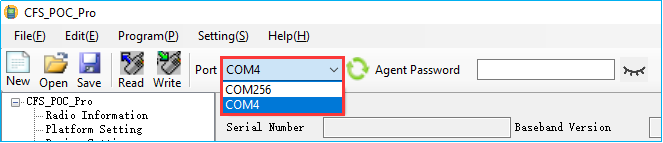
Click Read to read data from your radio.

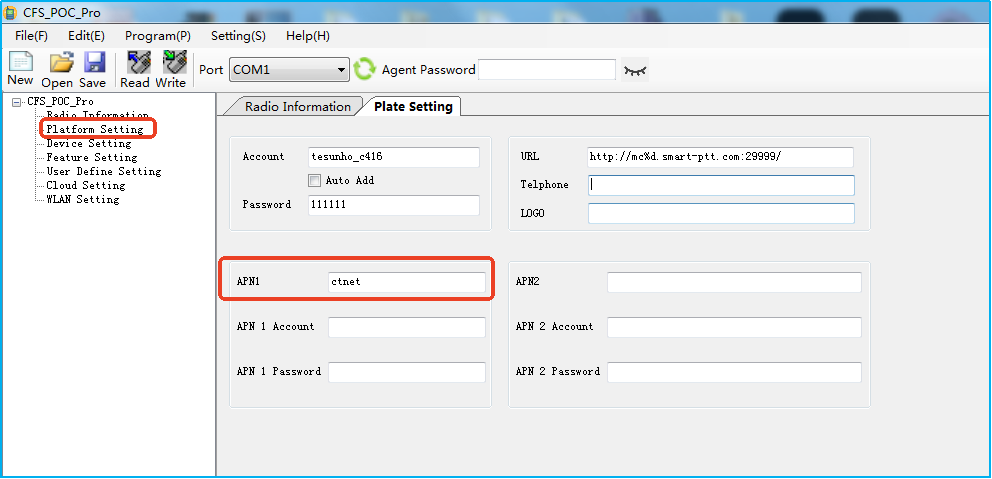
Go to Platform Setting, and enter the required APN.
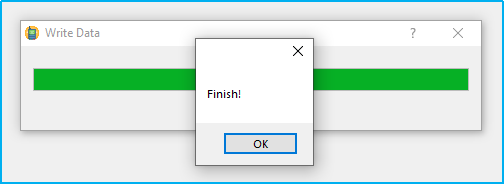
Click Write to write data to your radio.

When it is finished, unplug the programming cable and restart your radio.
Applicable models: All models
2. Automatic APN Detection
Please click the link below for detailed operation guidelines.
https://www.iptwowayradio.com/677-how_to_use_the_intelligent_apn_switching_function.html
Applicable models: TH-288, TH-388, TH-682, TH-682pro, TM-981, TM-990, TM-991
3.Change APN via Device Management Cloud Platform
Go to www.cloudipradio.com
Log in to the cloud platform
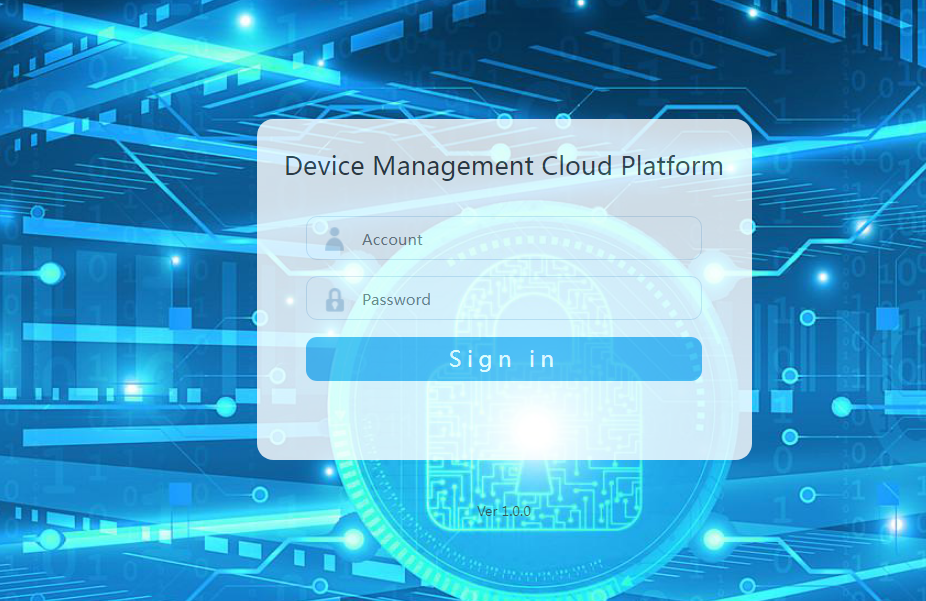
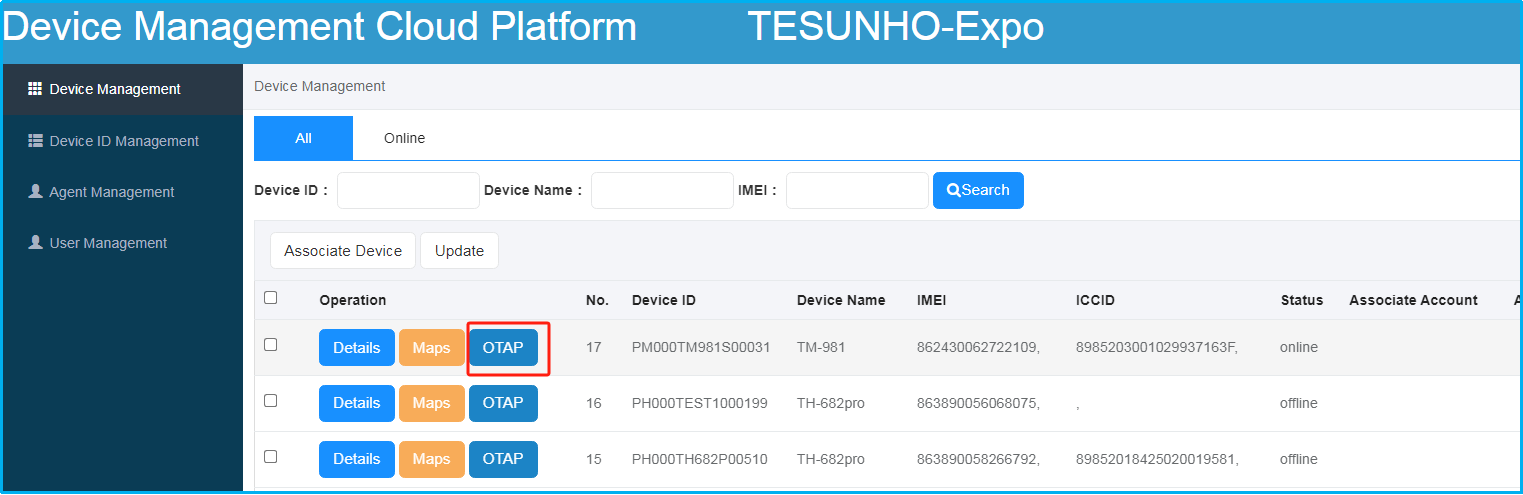
Select the desired online radio and click OTAP for remote configuration.
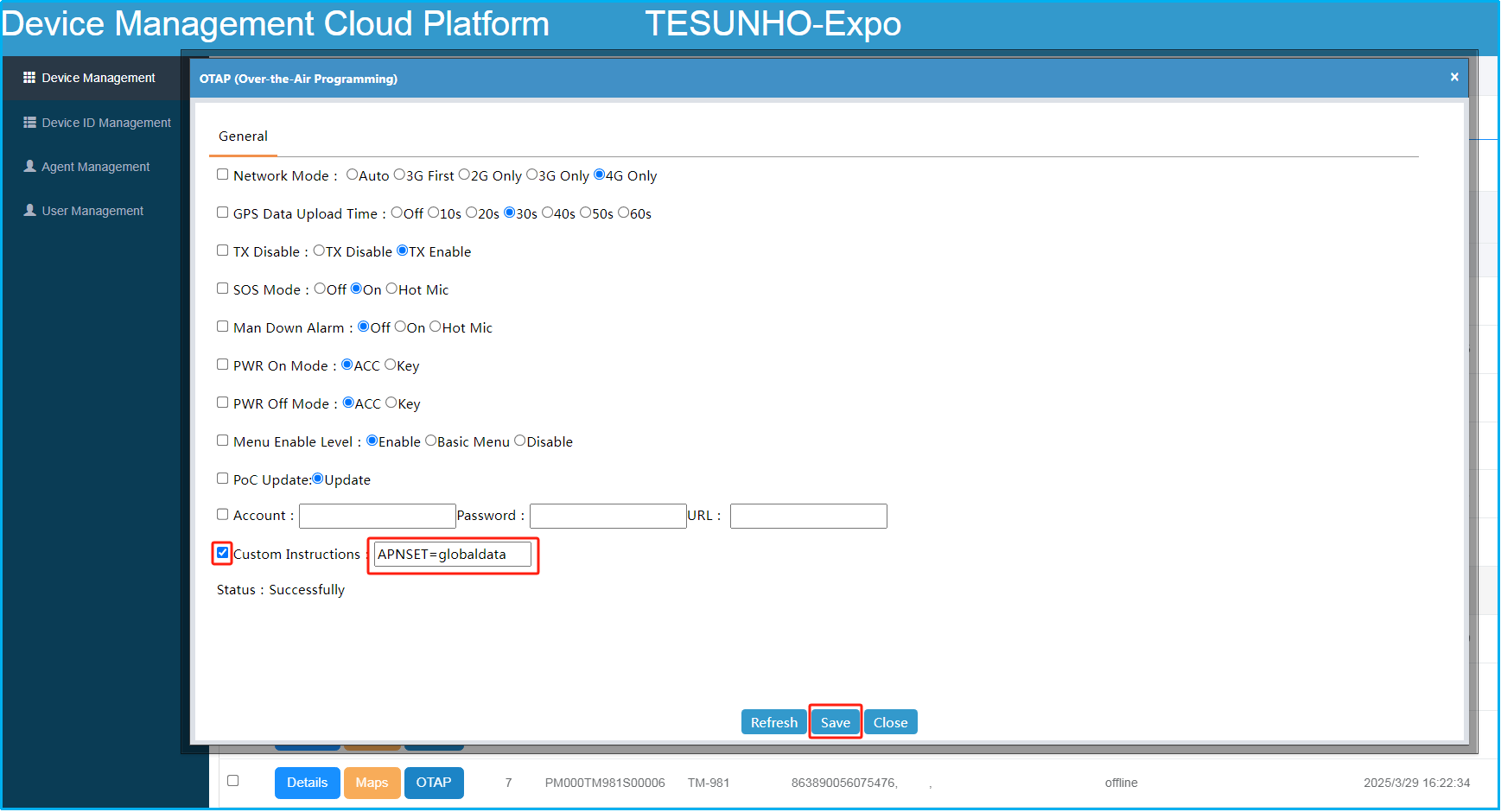
Check the box of the target device, then enter the command in this format: APNSET=APN. Click Save to apply the settings.
Applicable models: TH-682, TM-981, TM-990